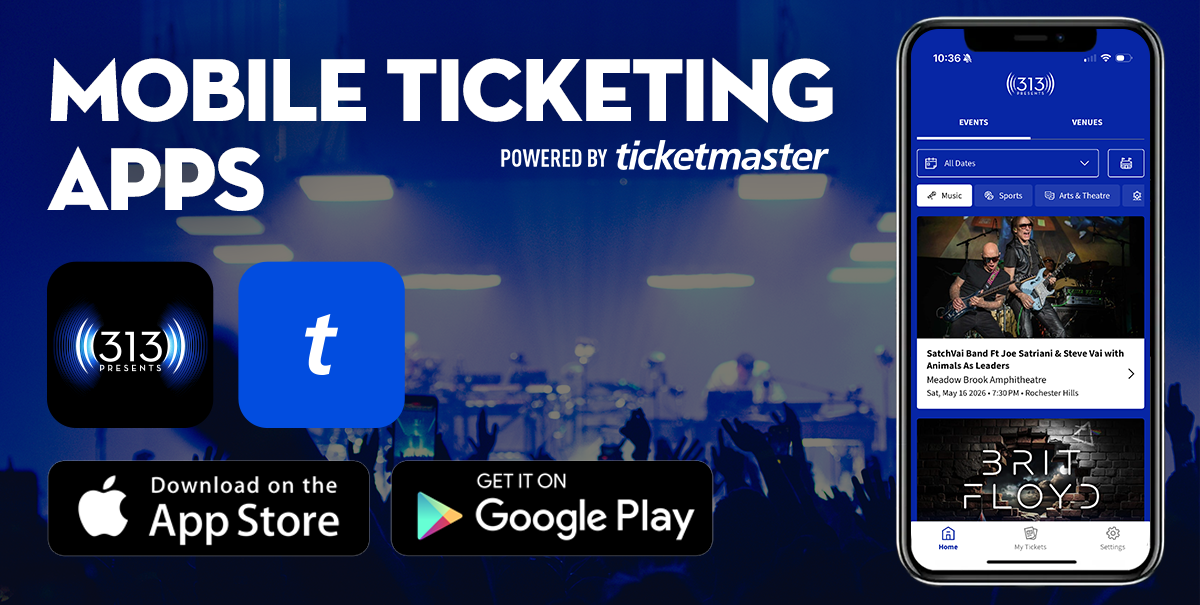
Mobile Ticketing Apps

All 313 Presents event tickets purchased through Ticketmaster, the Box Office, Season Tickets, and Group Tickets are visible in the new 313 Presents Mobile App available on iOS & Android.
FAQ's

Get Your App

Printed tickets are no longer accepted at any 313 Presents venue.

313 Presents uses mobile ticketing as the primary method of entry at all venues including Little Caesars Arena, Fox Theatre, Pine Knob Music Theatre, Meadow Brook Amphitheatre, and Michigan Lottery Amphitheatre.
313 Presents App
Ticketmaster app

Save to Your Wallet

Add tickets to Apple Wallet or Google Pay before you leave home - no signal needed at the gate.

1
📲

Open Your App

Launch the 313 Presents app -or- Ticketmaster app & sign in to your account.

2
🎫

Find Your Event

Select the upcoming event to view all tickets associated with your account.

3
💳

Add to Wallet

Tap "Add to Apple Wallet" or "Save to Phone" to store tickets offline.

4

Scan & Go

At the gate, hold your phone screen up to the scanner. No printing needed.

Mobile Ticketing for Sports

Detroit Red Wings and Detroit Pistons have separate mobile ticket guides.

Support Resources

Still Need Help?

Our box office team is ready to assist with any mobile ticketing questions.

FAQ's

How do I download the Ticketmaster and 313 Presents mobile apps, and is there a cost?

Both apps are free to download.

Can I access my tickets through the apps at all 313 Presents venues?

  • Yes. Both the Ticketmaster and 313 Presents apps support all venues - Little Caesars Arena, Fox Theatre, Pine Knob, Meadow Brook, and Michigan Lottery Amphitheatre.

  • We encourage all guests to add tickets to Apple Wallet or Google Pay before arriving. Tap "Add to Apple Wallet" or "Save to Phone" for offline access at the gate.
  • Please note: Season Ticket Holders, Group Ticket Holders, and tickets purchased through a venue box office are not accessible in the official Ticketmaster app and can be found in the 313 Presents App only - or - visit 313Presents.com/Myaccount to access and manage tickets.  

What if I can't download the app or don't have a smartphone?

  • If you do not have a smartphone at all, please visit the appropriate venue box office on event day and a representative will assist you.

Can I still print tickets as a PDF?

  • No. The print-at-home functionality in Ticketmaster.com and 313 Presents Account Manager is no longer available for any events at 313 Presents venues. Mobile ticketing is the required method of entry.

What does a mobile ticket look like and how do I use it on event day?

  • Mobile tickets display as a rotating barcode with your event details - date, time, section, row, and seat. For Little Caesars Arena events, your portal is also shown. Tap "ticket details" in the bottom right to see additional information.
  • Saved to Apple Wallet or Google Pay? Your ticket will show all event details and say "Hold Near Reader" do not have a barcode - just tap your phone to the scanner.
  • We recommend saving to your wallet before the event in case of signal issues at the venue.

How do I transfer tickets?

  • Tickets can be transferred anytime up until they are scanned at the gate
  • Once a transfer is accepted, your original tickets are no longer valid
  • Sent to the wrong email? Cancel the transfer before it's accepted and resend. If already accepted, the recipient must transfer them back to you

Can I store multiple tickets on one phone?

  • Yes. Select your event and swipe left or right to view and scan all tickets on one device. All members of your party must be present at the gate.
  • For faster entry, we recommend transferring tickets to each person in advance so everyone can scan independently.

What if I lose connectivity at the venue?

  • Complimentary WiFi is available at Little Caesars Arena and The District Detroit. Fox Theatre, Pine Knob, Meadow Brook, and Michigan Lottery Amphitheatre do not have WiFi.
  • Save your tickets to Apple Wallet or Google Pay before leaving home - wallet tickets work offline and don't require cell service at the gate.

Can I use a screenshot of my ticket?

  • No. Screenshots of tickets will not be accepted for entry. You must access your tickets through the Ticketmaster app, the 313 Presents app, or your smartphone's internet browser at 313Presents.com/MyAccount.

What if I have trouble accessing my tickets - lost phone, dead battery, or forgotten password?

  • Lost or broken phone / no connectity / dead battery: Please visit the appropriate venue box office for assistance. You will need to present a valid photo ID that matches the name on your account.
  • Lost, broken phone, or dead battery: Visit the venue box office with a valid photo ID matching your account name.
  • Forgotten password: Tap "Forgot Password?" on the login screen and follow the reset link sent to your email. For Ticketmaster account help, visit Ticketmaster.com.

Is my information secure, and who do I contact if I need help?

  • Yes. 313 Presents and Ilitch Sports & Entertainment use the highest security measures available. Your information is used for event purposes only and is never sold to third parties.
  • Need help? Contact our box office at ticketoperations@olyent.com or call us during business hours at 313.471.7000. We're happy to help.
  • You may also review the Ticketmaster Account Manual for additional information
     

How do I access mobile ticketing information for the Detroit Red Wings and Detroit Pistons?